How To Turn a Picture Into a Jigsaw Puzzle (Free, Online, in Under a Minute)
TL;DR - Turn any picture — phone photo, kid's drawing, wedding shot — into a playable jigsaw puzzle in under a minute. It's free, runs in any browser, and needs no app or signup. Upload your image, pick 9 to 50 pieces and a cut style, then play and share via link. A digital puzzle is instant and free; a printed one costs $25 to $40 and ships in a week.
Any picture on your phone or computer can become a playable jigsaw puzzle in under a minute. No download, no signup, no payment. A photo of your dog, your kid's crayon drawing, a beach shot from last summer, a wedding picture — if you have the image, you can play it as a puzzle right now.
Ordering a printed photo puzzle runs $25 to $40 and takes about a week to ship. A digital puzzle costs nothing and is ready before your coffee gets cold. If you want to skip ahead, the free picture-to-puzzle maker does the whole thing in your browser.
What You Need To Turn a Picture Into a Jigsaw Puzzle
- 👉 A picture — JPG, PNG or GIF
- 👉 A browser — phone, tablet or laptop all work
That's it. No app, no account, no payment.
How To Turn a Picture Into a Jigsaw Puzzle (Step by Step)
Step 1: Choose the picture you want to turn into a puzzle
Pictures with color variety, a clear subject and visible texture make the best puzzles, because every piece ends up looking different from its neighbors. Big flat areas — open sky, a plain white wall — are harder to solve, since the pieces all look alike. That's not a dealbreaker, just a tougher game.
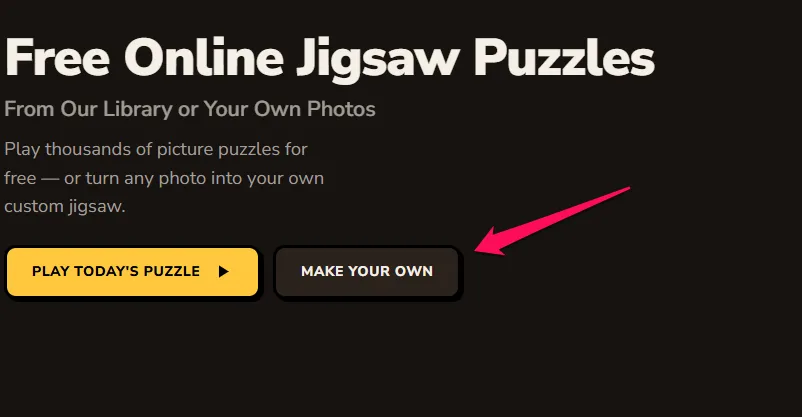
Step 2: Upload your picture to the puzzle maker
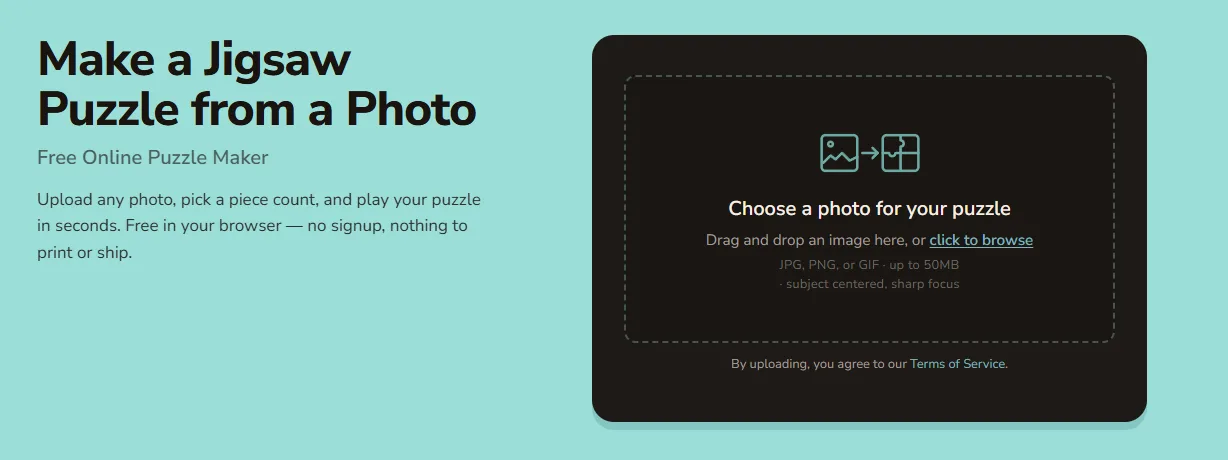
Drag and drop the file, or click to browse. It pulls straight from your phone's camera roll too. JPG, PNG and GIF all work, and you don't need to resize anything first — the maker handles the sizing for you.
Step 3: Pick how hard the jigsaw should be
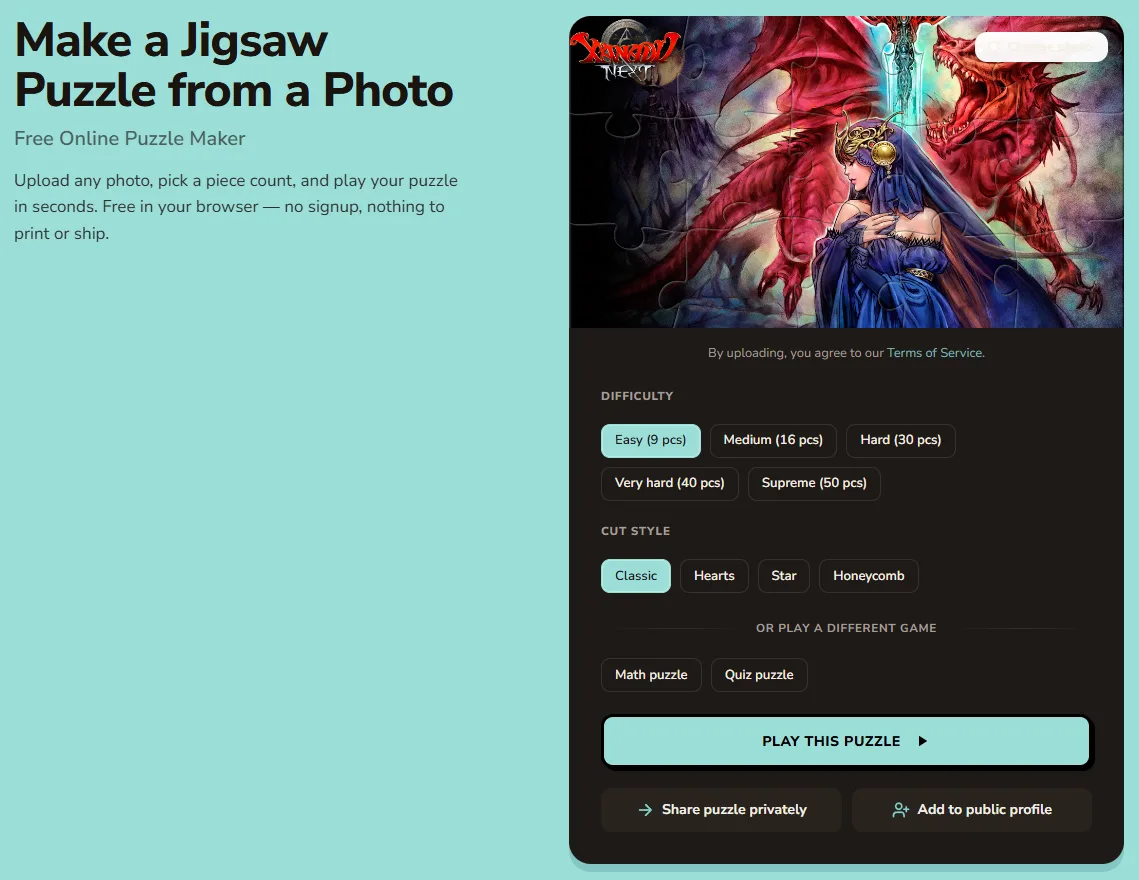
Set the piece count anywhere from 9 (easy enough for kids) up to 50 (a real challenge). Then pick a cut style: classic interlocking, hearts, stars or honeycomb. First time? Go with 20 pieces and the classic cut.
Step 4: Play your jigsaw — and share it
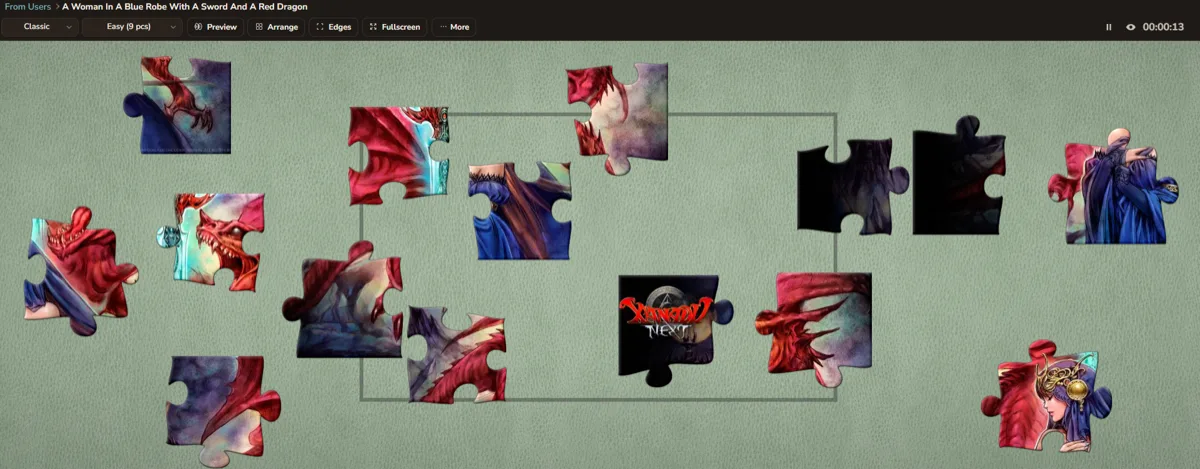
Drag pieces into place with your mouse or finger. Hit the copy-link button and send the puzzle to anyone — they play it in their browser, no signup on their end either. Your puzzle is live the moment you upload.
Why Turn a Picture Into a Digital Jigsaw Instead of Ordering a Printed One?
| Digital picture-to-jigsaw | Printed photo puzzle | |
|---|---|---|
| Cost | Free | $25–$40 |
| Time to play | ~30 seconds | 5–10 days shipping |
| How you share it | Send a link | Mail the box |
| Best for | Quick gifts, sharing across distance, anything you want now | Physical keepsakes, gifts you want to hand over |
Both are good. Pick based on one thing: do you want it in your hands, or in your browser right now?
What Kinds of Pictures Work Best As Jigsaw Puzzles?
- ⭐ Pet portraits — a cat's face or a dog mid-zoomies beats a wide shot of the whole room. See more in the animals category.
- ⭐ Travel and landscape pictures — markets, coastlines and street scenes are full of the texture that makes pieces distinct. Browse more in the nature category.
- ⭐ Family photos, weddings and group shots — faces
 give your eye somewhere to land.
 - ⭐ Kids' drawings and artwork — scan the fridge masterpiece and play it.
- ⭐ Art prints, posters and paintings — bold color and detail work great. See the art category for more.
- ⭐ Screenshots from games or movies — fine for personal use.
Turning a Picture Into a Jigsaw on Your Phone
Mobile is fully supported. Drag pieces with your finger and pinch to zoom, exactly as you would on a tablet. You get the same features you'd get on a desktop — nothing is stripped out for the smaller screen.
Frequently Asked Questions
Can I turn any picture into a jigsaw puzzle?
Yes. Any JPG, PNG or GIF works — photos, drawings, screenshots, scanned artwork.
Is it really free to turn a picture into a jigsaw?
Yes. There's no cost, no trial and no signup to make or play a puzzle.
What picture file types work?
JPG, PNG and GIF.
Does my picture stay private after I upload it?
Your puzzle is only reachable by the link you share. Nobody finds it unless you send it to them.
How many pieces should I pick for my first puzzle?
Start with 20 pieces and the classic cut. It's solvable in a few minutes and shows you how the controls feel.
Can I share a jigsaw puzzle I made from my picture?
Yes. Copy the link and send it. Recipients play in their browser with no signup.
Can I download the finished jigsaw as an image?
Yes — you can save the completed puzzle as an image to keep or post.
Does this work on iPhone and Android?
Both. It runs in the browser, so the operating system doesn't matter.
Turn Your Picture Into a Jigsaw Puzzle Now!
A picture, a browser, under a minute. That's the whole thing.
Turn your picture into a jigsaw puzzle now and send it to someone before they finish reading this sentence!
Or browse thousands of ready-made puzzles if you don't have a picture handy.